Photoshop
Photoshop on a phone
To Photoshop on an iPhone, install Adobe's Photoshop iPhone app, which has been free since it launched in February 2025 and does selections, layers, masks and compositing on the phone itself. Verdict: CURRENT. That is a better answer than most people expect, because the phrase to photoshop something usually arrives attached to an assumption that the real program is desktop only and the phone gets a filter app. The base app carries the operations that actually define the program: layers you can stack, masks you can paint, Tap Select for pulling a subject out of a scene, and the Spot Healing Brush for taking a blemish or a stray object out of a photo. An Android version followed later in 2025.
CURRENT
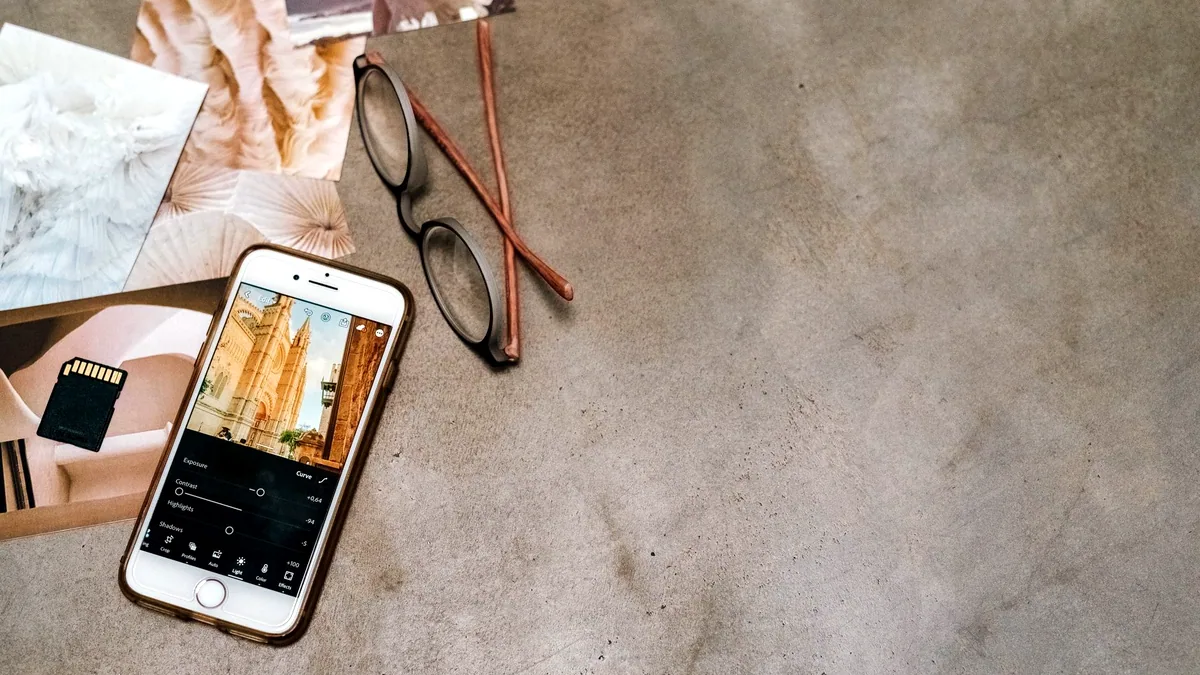
What the free tier does without paying anything
The free tier does the 5 things that make an edit non destructive, and that is the part worth knowing before you compare it to anything else on a phone. You get layers, so a change lives above the photograph rather than inside it. You get masks, so a change applies to part of the frame. You get selections, including Tap Select, which picks a subject out of the scene without you tracing it. You get compositing, so 2 images become 1. And you get the Spot Healing Brush, which removes a blemish, a wire or a stray object by sampling from around it.
Compare that with the editor already built into a phone's photos app, and the gap is not sharpness or colour, both of which the built in editor handles well. The gap is that a built in editor works on the whole picture at once. There is no layer, so an adjustment cannot be reduced later, and there is no mask, so brightening a face also brightens the sky behind it. That single wall is what sends people looking for Photoshop on a phone in the first place, and the free app removes it.
What a subscription adds, and what it costs
The full feature set needs a subscription, and there are 2 ways to hold one. An existing Photoshop desktop plan already includes it, so a person who pays for the desktop program on a laptop should sign in on the phone rather than buy anything. Otherwise the Photoshop Mobile and Web plan is $7.99 per month or $69.99 per year. Those are the only 2 routes this site will describe. There is no crack, no serial and no unlocked build named on any page here, and there is no version of this site that explains how to get past a trial or an activation, because the honest answer is already good enough not to need one.
Removing a background on a phone
To remove a background on a phone, make the selection first and convert it to a mask rather than deleting anything. Tap Select in the phone app is built for exactly this: it identifies the subject from a tap, and the selection then becomes a mask on the subject layer, which means the background is hidden rather than destroyed and you can push the edge back and forth afterwards. Keep the mask instead of erasing, always, because an erase on a phone is one undo away from being permanent and there is no version history to fall back on when you reopen the file 3 days later.
What goes wrong on a phone is the edge, and it goes wrong in 2 places. Hair and fur produce a selection that looks clean at the size of the screen and shows a hard cut at full resolution, so zoom to 100% before you accept it, not to fit. And a subject photographed against a background of a similar tone gives the selection nothing to work with, which is a lighting problem you cannot fix afterwards. Removing a background in Photoshop covers the desktop side of the same operation in full, including the cases where the automatic selection loses.
Where the desktop still wins, and where it is the same button
On the desktop, background removal has been a single click for some time: Remove Background sits in the Contextual Task Bar, detects the subject automatically and creates a layer mask that hides the background, and Select Subject makes the same selection from the same bar including hair and other fine edges. That is the answer to where the control lives in the 2025 and 2026 releases, and it has not moved. Photoshop Elements carries the same Contextual Task Bar, so the one click route exists there too, which surprises people who assume Elements is the cut down version in every respect.
An older desktop release does the job differently rather than not at all. In Photoshop CS6 there is no Select Subject, so the route is the Quick Selection Tool to rough the subject in, then Select > Refine Edge with Smart Radius switched on, brushing over the hair with the refinement brush, Decontaminate Colors to kill the fringe of old background colour, and Output To set to Layer Mask. It takes 3 minutes instead of 1 second and the result on hair is often better than people remember, because you are steering it.
The other programs people ask about in the same breath
Three other routes come up whenever this question does, and they answer different needs:
- A browser. Photopea runs in a browser tab and opens
PSDfiles, which makes it the fastest way to open a layered file somebody sent you when you are on a machine with nothing installed. - Photoshop Elements. A desktop program rather than a phone one, and worth knowing about mainly because of the Contextual Task Bar above.
- PaintShop Pro. Corel's program is alive and is a desktop release: the most recent is PaintShop Pro 2023, version 25.0, published in December 2022, still sold from Corel's own site with a free trial. Corel bought Jasc Software and the distribution rights to Paint Shop Pro in October 2004, which is the answer to why the Jasc name vanished. Whether Corel ships anything for Android is not established here, and this site will not claim one either way. PaintShop Pro, and where it stands now, has the detail.
A working routine on a phone
A working routine on a phone is worth setting once, because the constraints are real even with the right app. Shoot or import at full resolution and do the destructive work last. Make the selection early, convert it to a mask, and name the layers, because a phone screen shows you 3 or 4 layers at a time and an unnamed stack of 9 is unusable. Check every edge at 100%, since a phone display flatters a soft cut out. And accept the 1 thing the format cannot give you: precision at the pixel. A finger covers roughly 40 px to 50 px of a photograph, so cleaning up a mask edge by hand is slow work on glass and quick work with a mouse, which is the real reason to move a serious composite to a desktop rather than any missing feature. The effects this site taught covers what to do with the picture once the cut out is done, and Photoshop, operation by operation lists the operations one by one.
Where to go next
Keep making.
All guides One click now
Remove the background. Keep the detail.
Start with one click. Learn what to do when hair, glass and difficult edges need a little more care.
 Still relevant
Retouch the portrait. Keep the person.
Natural texture, considered corrections and knowing when to put the brush down.
 Still relevant
A better way to blend in.
Understand what blend modes actually do, and choose the right one for the image.